The 4 Best Shopify Payment Apps & Services
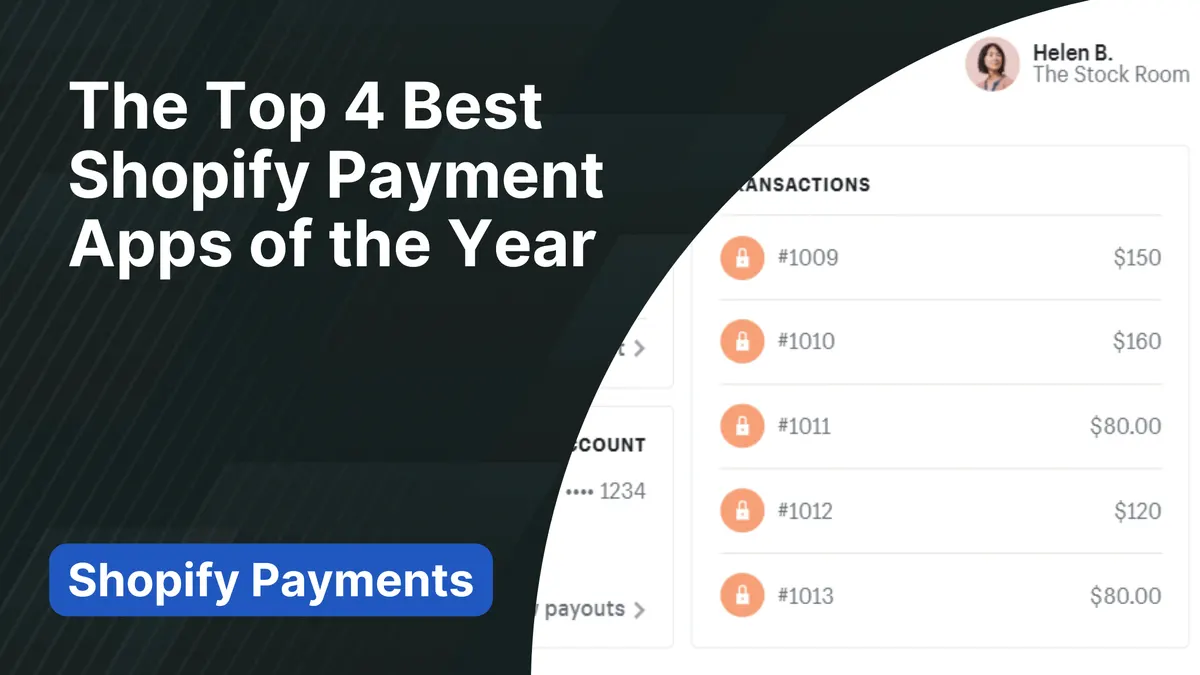
Deciding which Shopify payment app is best for you can be a hassle if you don’t know what each service offers.
We hope to make that decision more manageable by breaking down the best Shopify payment apps available on the market.
But before we dive into our list of the 4 best Shopify payment apps, let’s make sure you know what Shopify is all about.
What Is Shopify?
Shopify is a cloud-based software designed for online retailers and merchants. It allows online merchants to create an online market to sell their products and services.
Shopify is a subscription-based platform that gives you access to various features and levels of functionality depending on what subscription you opt for.
All subscriptions let you create a complete eCommerce website.
When selling your goods online, you will need some form of a payment app to process payments. A payment app ensures that the money ends up in your bank account.
Today, you can process Shopify payments with third-party applications. Each has its own set of pros and cons, which we’ll highlight in this article.
Our Ultimate List Of The 4 Best Shopify Payment Apps
Shopify Payments
There’s no better way to start our list than Shopify’s very own payment application.
Shopify Payments is a built-in payment processor that allows your business to accept credit cards and other forms of currency through the application.
This payment platform is unique because the payment application is a part of the Shopify platform.
To activate the application, simply head into your settings on your Shopify dashboard and click the Activate Shopify Payments link.
You will need to enter some information regarding your business. Once you’ve done that and Shopify approves your request - you can start using Shopify Payments.
Transaction Fees
Shopify Payments will charge you 2.9% of every transaction made through Shopify Payments. This transaction fee will be 2.6% if a customer makes the sale in person or offline.
The online processing fee is higher because companies believe online payments are riskier without the cardholder physically present.
Payout Period
The pay period will be every 2 days. For example, if you make a sale today, your bank account will reflect the money in two days from that sale.
The more sales you make and the bigger your business gets, you could potentially be getting payouts every business day.
What We Like
Easy Application Process
The setup of Shopify Payments is a simple 5 step process that you can complete in under 20 minutes. There are no complicated requirements to offer a range of payment options to your customers quickly.
Fast Approvals
The approval process is also pretty quick and easy. Shopify Payments approve most requests within the same day. Some people reported waiting a bit longer, with the longest waiting period being just over 3 days.
The application is a part of Shopify itself, making it more accessible to merchants from all over the world.
No Redirects
Shopify Payments won’t redirect customers when they want to pay for your goods or services.
It also benefits the business as the payments are synced to their corresponding orders, allowing sellers to track orders and payments in one convenient location.
Offline Sales
Shopify Payments supports offline sales with Shopify’s Point of Sale service. This service allows sellers to make sales in person or without an internet connection.
The service syncs again once you’ve reconnected it to the internet connection. The system will then automatically update your sales statistics.
Payment Options
Customers have a variety of options when making a transaction.
From American Express to Visa and MasterCard, US businesses set up on Shopify can accept various credit and debit cards using Shopify Payments.
Remember, you still need to reconcile your Shopify sales, no matter what payment option you offer to your customers.

Stripe
Stripe is arguably one of the most popular payment applications used today. Most online US eCommerce stores use Stripe to facilitate payments.
The company describes its platform as a full-stack payment processor that accepts debit and credit cards from anyone and in any currency.
Transaction Fees
Stripe has the same transaction fees as Shopify Payments. However, the offline transaction fee is slightly higher, sitting at 2.7%.
Payout Period
Stripe has a 2 day payout period, similar to Shopify Payments.
What We Like
Payment Options
Stripe supports a wide variety of payment methods. This range includes your standard debit and credit cards and digital wallets such as Apple and Google Play.
Great Customer Care
Should you have any queries or complaints, the application offers 24/7 customer support who are always willing to assist wherever they can.
Simple Setup
The setup process is super simple. All you need to do is visit the Stripe website and fill in the necessary information regarding the products, pricing, and your business.
Once you’ve filled out all the required information and Stripe approved your account, you can immediately link Stripe to your Shopify store.
No Monthly Fee
There’s no monthly fee to keep your Stripe account active, so you won’t need to worry about planning Stripe into your budget.
Customizability
Stripe offers a wide range of developer tools that allow you to integrate the application into your Shopify online market.
With these tools, you can create a customizable checkout experience.
Don’t worry if you don’t know how to customize the checkout experience. Stripe offers tons of excellent documentation for newcomers that want to develop their own checkout page.
2CheckOut
2CheckOut is a digital commerce and payment application that will help your business sell products and services through multiple channels.
It allows for seamless integration with your Shopify market as well as an excellent mobile checkout system, allowing you to accept and manage payments on the go.
Transaction Fees
2CheckOut has the most expensive transaction fees as it sits at 3.5%.
Still, due to the incredible features and easy integration of the application itself, it may just be worth paying a higher transaction fee.
Payout Period
2CheckOut has a payment period of around 2 - 5 business days.
What We Like
Excellent Fraud Protection
2CheckOut offers an advanced fraud protection service to protect your Shopify market and any transactions that take place.
Recurring Billing
With 2CheckOut, you can quickly and easily set up recurring billing. With recurring billing, you can charge your customers monthly.
This feature makes it easier to get a steady monthly income. It also gives your customers a hassle-free payment process.
Secure Hosted Checkout
You’ll have a hosted checkout page that provides a user-friendly checkout experience for your customers. You can also use a payment API security feature to secure payments on your website.

Braintree Payment Solutions
PayPal owns Braintree Payment Solutions. It’s an excellent payment gateway that you can use on your Shopify website.
Braintree Payment Solutions offers everything from credit and debit card processing to currency conversion, recurring billing and subscriptions, and a lot more.
Transaction Fees
Braintree Payment Solutions doesn’t offer the lowest transaction fee. Still, it’s cheaper than 2Checkout’s, with its transaction fees sitting at 2.9% per credit and debit card transaction.
Payout Period
Braintree Payment Solutions offer a standard payout period of around 2 - 5 business days.
What We Like
Excellent Fraud Protection
Braintree Payment Solutions allows companies to sell on their Shopify site with the safety of fraud protection, reporting, and various security integration tools.
Fantastic Developer Tools
It has a wide range of developer tools, including online documentation and reports for businesses to develop a payment portal perfect for their needs.
Developers can also use the sandbox mode. The sandbox allows them to test code without disrupting business or upsetting customers.
Customizability
Braintree Payment Solutions allows you to have a fully customizable user interface created with the user’s vision in mind.
Try Before You buy
Suppose you wish to explore Braintree Payment Solutions and not pay any fees before knowing what you’re getting yourself into.
In that case, Braintree Payment Solutions will only charge you once you are ready to receive payments.
Shared Payments
Braintree Payment Solutions lets business owners share their payment data with fellow merchants. This feature allows them to expand their business and gain new partners.
Comprehensive Analytics
Braintree Auth. is a comprehensive analytics feature. This feature is fantastic if you want to understand your data analytics and invoices better to reconcile your Shopify payments.
Final Thoughts
Choosing the best is difficult with so many fantastic Shopify payment apps available.
However, we recommend Shopify Payments for a quick and easy payment app. Since it’s a part of the Shopify platform, it’s practically effortless to activate it.
All the tools are readily available and accessible from the Shopify dashboard.
The other third-party options are all convenient in their ways, as each offers different features, integration, and functionality.
Remember that no matter which payment platform you choose, you’ll still need to reconcile your Shopify sales. When you know what’s happening in your business, you can do better business and make more money.